Session management
Open SSH, RDP, database and web sessions through Zerostand. SSH, RDP and web sessions are recorded by default, database sessions log each statement, and an open session can be ended from the console.
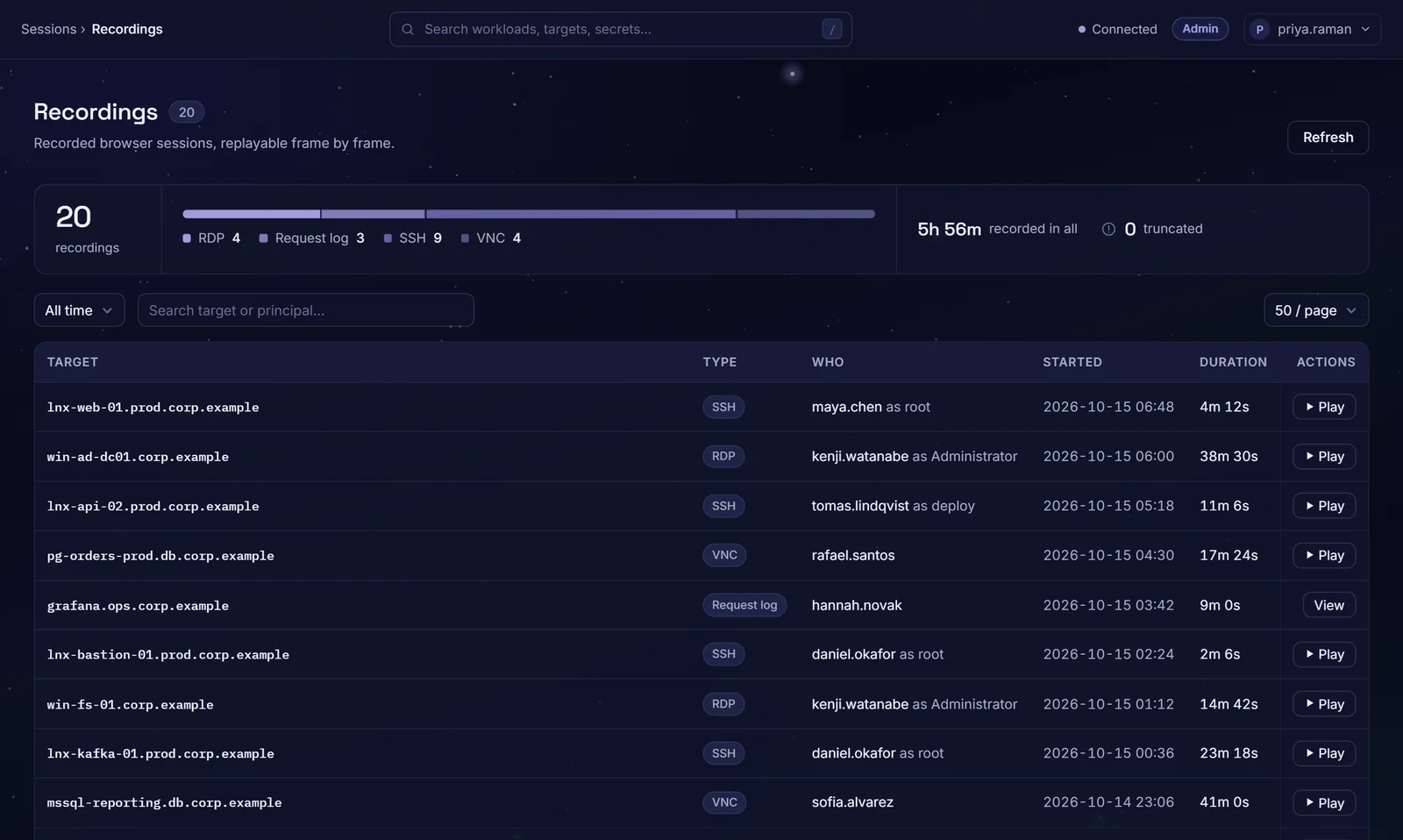
Privileged sessions nobody can see
Jump hosts with no record
Admins reach production through a shared jump host, and nothing shows what they did there.
Sessions nobody can end
A session that should stop keeps running until its owner logs out.
Evidence built by hand
Before an audit, someone pieces together who logged in where from scattered server logs.
Sessions you can replay and end
Sessions in the browser
SSH, RDP and web applications open in the browser through Zerostand. SFTP file transfers sign in the same way, with a short-lived SSH certificate.
Recorded by default
SSH, RDP and browser sessions are recorded for replay. If a recording cannot be written, the session is refused or ended, unless the target allows unrecorded sessions.
Database statements logged
The PostgreSQL and MySQL gateways log each SQL statement, and can refuse writes or the operations you block on a target.
Watch SSH live
Admins and auditors can watch an SSH session as it runs, read-only. Each watch is audited.
End a session now
End an open session from the console. The end is audited.
Sessions with a time limit
A session ends after four hours by default, or the limit you set, and within 30 seconds of its access ending.
From connect to replay
Connect
Pick a target in Connect. Policy is checked as the session opens.
Record
The session is recorded as it runs; a database session logs each statement.
Oversee
Open sessions are listed in the console, where Admins and auditors can watch SSH live, and a session can be ended.
Review
Admins and auditors replay recordings and read web request logs afterwards.
The sessions your admins already open
- Linux over SSH
- SFTP
- Windows over RDP
- PostgreSQL
- MySQL
- Web applications
SQL Server and Oracle accounts can be vaulted and rotated, but their sessions are not brokered.
Questions buyers ask
Is every session recorded?
Not every kind. By default, SSH, RDP, browser database and web sessions are recorded for replay; a database tool connecting through the PostgreSQL or MySQL gateway is not recorded, and each statement it sends is logged to the audit trail instead. A web session also keeps a request log of method, path, status, sizes and times, never a query, header or body. Two settings change this: a target can let a session keep running when its recording fails, and recording can be switched off for the whole deployment. Either way, each unrecorded session is marked in the audit trail. SFTP transfers are logged by file, size and result rather than recorded.
Can we watch a session live?
SSH sessions, yes: an Admin or Auditor can watch one read-only as it runs. RDP, web, database and SFTP sessions cannot be watched live today; you review them afterwards from their recording or statement log.
Can we end a session?
Yes. From the console you can end a live SSH, SFTP, RDP, web, browser database or database gateway session. The maximum session length can be changed, or turned off.
Where are recordings kept and for how long?
On the disk of the Zerostand node that ran the session. They are deleted after the number of days you set; by default they are kept forever. Only Admins and Auditors can list or replay them.
Do people need a special client?
No. SSH, RDP, web and PostgreSQL sessions open in the browser. PostgreSQL and MySQL also work in your own database tool through the Zerostand gateway, MySQL only that way today; a small Zerostand helper can launch the tool from Connect.
See it on your own systems
Four weeks on your own servers and a database.