Emergency access
When an incident cannot wait for an approver, the people you pre-list take access at once. Each use needs a reason, ends at a time cap and is audited as break-glass.
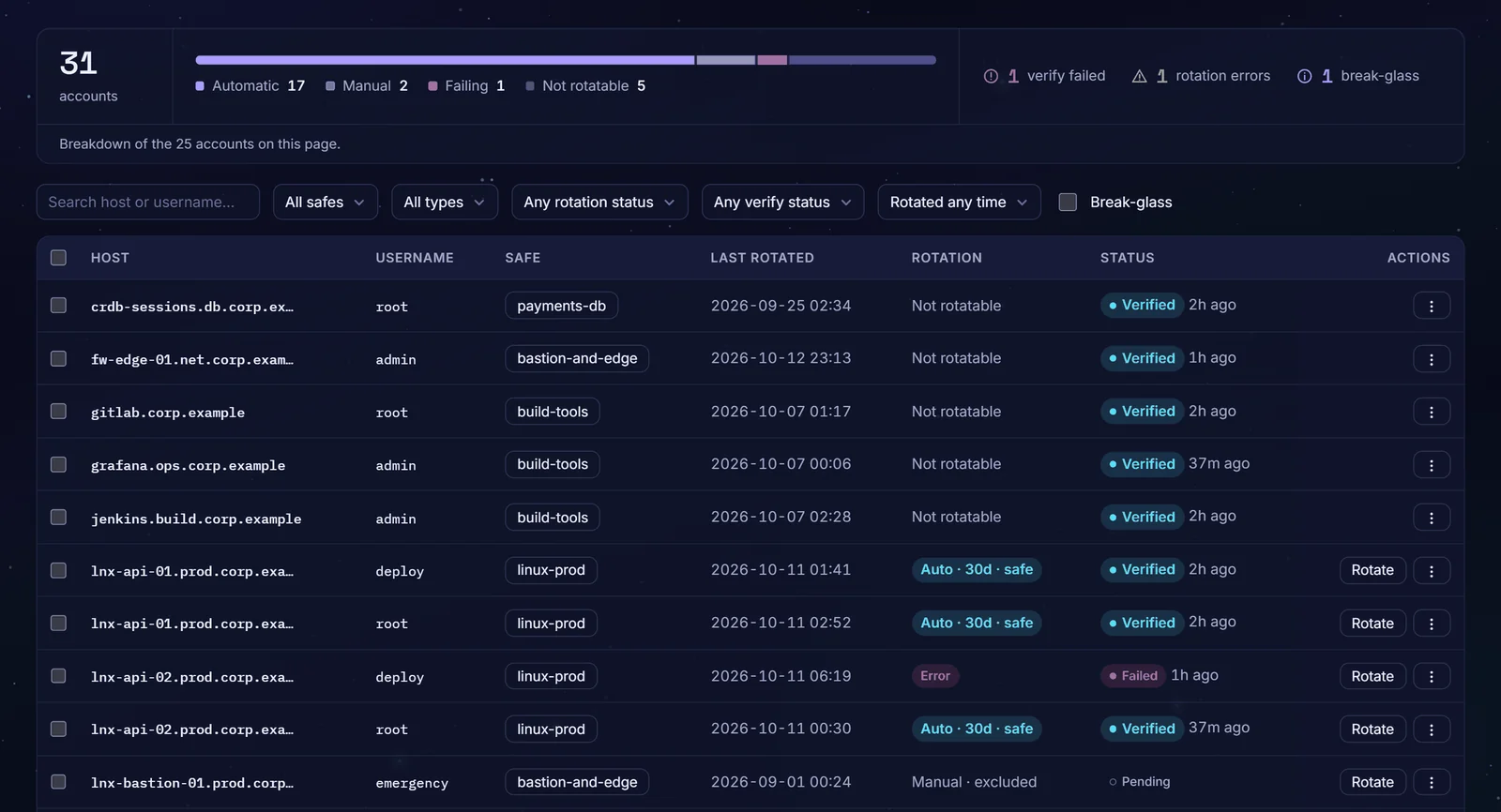
The emergency door is often the weakest one
The password everyone knows
The emergency admin password was shared years ago and never changed.
Locked out when it matters
If the access system is down, nobody can reach the servers they need to fix it.
No trail afterwards
Emergency use is rarely written down, so nobody can say later who used it, or why.
22%of breaches began with credential abuse, the leading initial attack vector. Source: Verizon 2025 Data Breach Investigations Report.
Fast in an incident, accountable after
Pre-listed people only
Break-glass is switched on per safe and open only to the users you list on it.
A reason every time
Emergency access is refused without a stated reason.
Capped in time
Access lasts at most the safe's cap, one hour unless you set another.
Its own audit event
Each use is recorded as break-glass, with its own filter in Activity.
Administrators told
When email is configured, administrators are emailed on every use, with the reason.
A sealed offline copy
For when Zerostand itself is down, an optional sealed export holds your emergency accounts' passwords, encrypted to keys you keep offline.
From incident to review
Prepare
On a safe, switch on break-glass, list who may use it and set its cap.
Break the glass
A listed user picks the safe, gives a reason and gets access to it at once, with no approver.
Work
The grant covers every account in the safe, not one account picked in advance.
Review
Review the request, marked Break-glass in the list, and rotate any emergency password used.
The systems in your vault
- Linux over SSH
- Windows over RDP
- PostgreSQL
- MySQL
- Web applications
Sessions open as they do under any grant. The sealed export opens with the open-source age tool and one listed private key.
Questions buyers ask
Who can break the glass?
Only the users you list on a safe with break-glass switched on. A user with the read-only Auditor role cannot be added to the list, and the automation token cannot use it. By default, a user enrolled in TOTP must also pass a second-factor step-up; if you require step-up for decisions, every user must, and one with no TOTP enrolled in Zerostand is refused.
How long does emergency access last?
Up to the cap the safe sets, or one hour when it sets none; you can change that default for the deployment. The grant then expires like any other, and a session still open on it is cut within 30 seconds.
What if Zerostand itself is unavailable?
Keep a sealed offline export, set up in advance. It holds the passwords of the accounts you mark as break-glass, encrypted to offline keys you list; Zerostand keeps only the public keys and never stores the file. Those accounts are left out of automatic rotation so the copy stays valid. After using one, rotate it by hand and export again; any change to these passwords makes an older copy stale.
Who can open the sealed export?
Any one of the key holders you list. The file is encrypted to each listed key, and any single private key opens it, so guard those keys accordingly. Only a named local admin can create an export, after re-entering their password, and each export is audited.
Is emergency access audited?
Yes. Each use is recorded with the user, the safe, the length, the reason and whether a second factor was given. A complete request from someone not on the list is refused and recorded as a break-glass denial. Emergency access needs no change ticket, even on a safe that requires one for requests.
See it on your own systems
Four weeks on your own servers and a database.