Credential vault
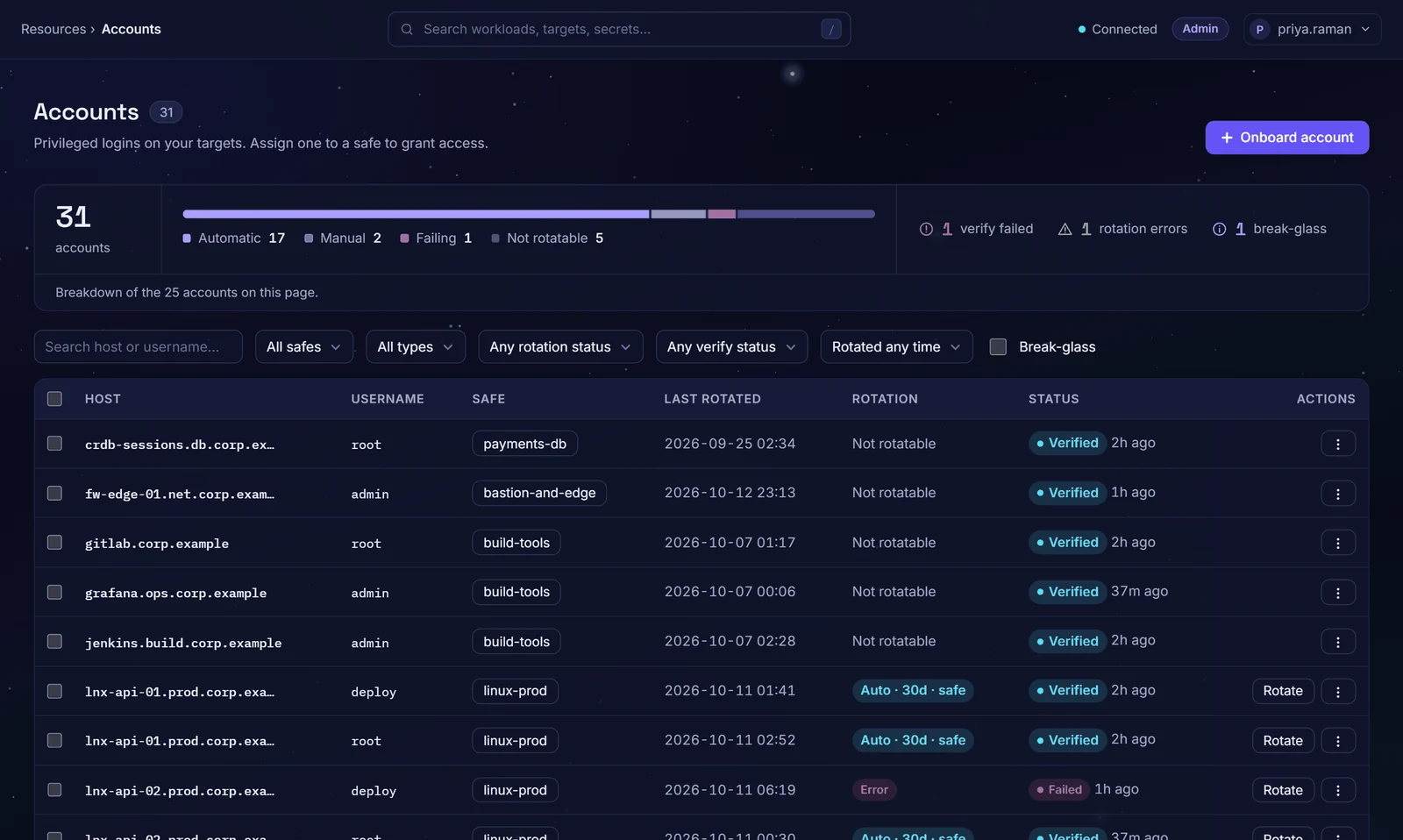
Keep the privileged accounts you cannot remove yet in safes. Zerostand rotates their passwords on your schedule, checks they still work, and can reset one that has drifted.
A password that never changes never stops working
Passwords that never change
The admin password set at install still works years later for anyone who knew it.
Nobody knows if it still works
A password changed on the server leaves a stored copy that fails when needed.
Shared in a spreadsheet
Admin passwords sit in a shared file, with no record of use.
Vaulted, rotated and verified
Safes for accounts
A safe holds accounts, the people who may use them, their approvers and a rotation schedule.
Six systems rotated
Windows (local accounts), Linux, PostgreSQL, MySQL, SQL Server and Oracle passwords are changed with no agent.
Password history
The last 10 retired passwords are kept by default, encrypted; showing one needs a reason.
One holder at a time
A session on a vaulted password holds it for one person.
Shown only with a reason
Show password needs a reason and is audited. An account Zerostand rotates is rotated after a grace period you set.
Password rules per platform
Each platform can set the length and characters of the passwords Zerostand generates for it.
From vaulted to verified
Vault
Add the account to a safe and rotate it at once, so the password someone typed stops working.
Rotate
On your schedule, Zerostand changes the password on the target, then stores it.
Verify
Every hour by default, Zerostand signs in with stored passwords to check they still work.
Reconcile
An operator can reset a drifted or unknown password through the host's reconcile account, without the old one.
The systems your admins already use
- Windows local accounts
- Linux over SSH
- PostgreSQL
- MySQL
- SQL Server
- Oracle
All six are rotated, verified and reconciled. MongoDB accounts can be stored but are not rotated.
Questions buyers ask
Which systems can Zerostand rotate?
Six: Windows local accounts over WinRM, Linux over SSH, PostgreSQL, MySQL, SQL Server and Oracle. Windows domain accounts are not rotated in this release. A Linux account that cannot run chpasswd itself can be reset through the host's reconcile account instead. Break-glass accounts are left out of the schedule and the hourly check. On a built-in platform you can change the password rules, not how it rotates.
What if a rotation fails?
The new password is stored only after the target accepts it; if the target refuses, the old one stays in the vault. A failed scheduled rotation is audited, listed on Rotation health and retried with waits from 2 minutes up to an hour; after 8 failures in a row it waits for an operator. Diagnostics show the last attempt's steps, password masked. An optional rotation journal records each new password before the target changes, so an interrupted rotation can be recovered.
How are stored passwords protected?
Each password is encrypted with AES-256-GCM under a data key. A default install keeps that key unwrapped in Zerostand's data directory; for production, wrap it with a key-encryption key from a passphrase or HashiCorp Vault Transit. With Vault Transit, the key-encryption key never leaves Vault.
Can someone see a password?
Yes, with Show password, if they may connect to the account and its safe allows their own tools. They give a reason, and a ticket where the safe requires one; the reveal is audited without the password. An account Zerostand rotates is held for them; the grace period before it is rotated is four hours by default. A safe can also rotate a password when the session using it ends (Rotate on check-in, off by default).
What about MongoDB?
MongoDB accounts can be stored in a safe, but Zerostand does not rotate them. Under a rotation schedule they are flagged as not supported. Workloads can get short-lived MongoDB logins instead.
See it on your own systems
Four weeks on your own servers and a database.